Chatbot
Key Takeaways
Modern chatbots are AI-driven helpers that answer questions, automate workflows, and support customers 24/7 across web, mobile apps, and messaging platforms like WhatsApp and Slack.
This article focuses on practical, data-driven chatbots for customer support, sales, and internal operations-not just generic definitions you’ll find elsewhere.
This guide is designed for business leaders, product managers, and technical teams evaluating or deploying chatbots in customer support, sales, or internal operations.
The most effective chatbots in 2024–2026 are powered by large language models (LLMs), can be trained on your own data, and integrate seamlessly with existing tools like CRMs, help desks, and analytics platforms.
Smart deployment can cut support costs by deflecting 20–50% of incoming tickets, boost conversion rates through proactive engagement, and improve customer satisfaction without overwhelming your team.
This guide also covers real risks-hallucinations, privacy concerns, environmental impact-and how to choose or build an ai chatbot that fits your organization.
What Is a Chatbot?
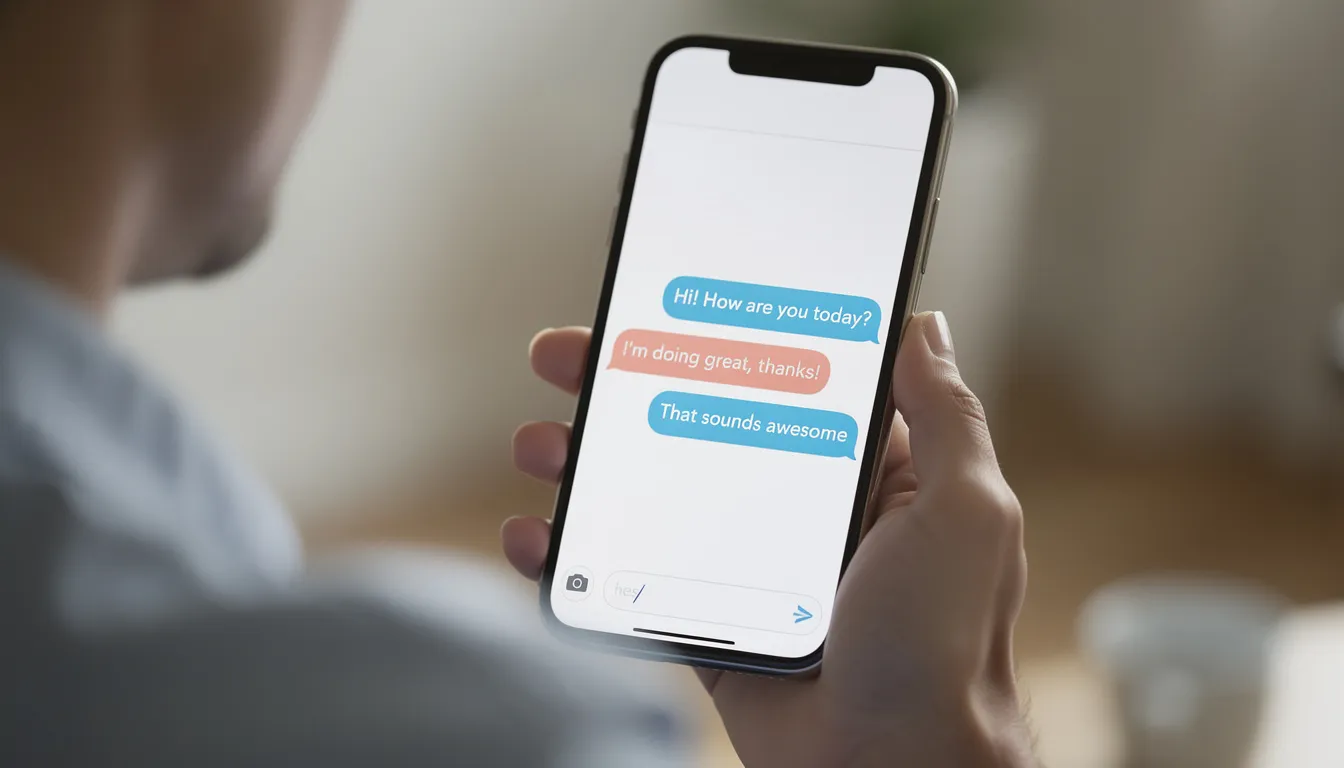
A chatbot is a software application that simulates human conversation through text or voice using artificial intelligence and natural language processing. A chatbot is a computer program designed to simulate human conversation through text or voice, increasingly using artificial intelligence rather than simple predefined scripts. What started as basic pattern-matching in the 1960s with ELIZA has evolved into sophisticated systems capable of handling complex queries across every digital channel your customers use.
Historical context: ELIZA, created in the 1960s, used rule-based pattern matching to mimic a psychotherapist. It laid the groundwork for decades of development, though it had no real understanding of human language.
2010s scripted widgets: Most website bots from this era relied on decision trees and keyword matching-think “Press 1 for billing.” These often frustrated users due to rigidity.
Modern generative AI chatbots: Built on large language models like GPT-5 and Claude 3, today’s bots create novel, contextually aware responses in real time, supporting multi-turn dialogues with memory.
Where you’ll find them: Website widgets, mobile applications, WhatsApp, Facebook Messenger, Slack, Microsoft Teams, and voice assistants like Alexa or Google Assistant.
Everyday interactions: Tracking an order, resetting a password, booking a restaurant table, checking a bank balance-all handled through natural language understanding without waiting for a real person.
Scale of adoption: By 2026, ChatGPT alone has over 800 million weekly active users, with competing models from Anthropic, Google, and xAI powering millions of business deployments.
Types of Chatbots
Businesses typically encounter three main categories when evaluating chatbot technology: rule-based bots, AI-powered/generative bots, and hybrid systems that blend both approaches.
Rule-Based Chatbots
These systems use predefined responses triggered by decision trees and keyword matching. If you’ve ever clicked through “Choose an option” menus on a support page, you’ve experienced rule-based chatbots work. They’re ideal for compliance-heavy paths like payments or identity verification where predictability matters more than flexibility. However, they falter badly on unstructured customer questions that don’t match their scripts.
AI-Powered Chatbots
AI powered chatbots use natural language processing and machine learning to interpret free-form text. They detect user intent (like classifying “Where’s my package?” as an order status inquiry) and extract entities (order numbers, dates, email addresses). These rolled out widely from 2018–2022, powering basic support automation for companies moving beyond scripted flows.
Generative AI Chatbots
The 2023 generative AI boom changed everything. A generative ai chatbot uses LLMs to create novel, conversational responses rather than selecting from preset options. Models like GPT-5.1, Claude 3 Opus, and Gemini 1.5 enable multi-turn conversations with context retention, tone adaptation, and multilingual capabilities. By 2026, these dominate new enterprise deployments.
Hybrid Chatbots
Many enterprises combine scripted rails for high-stakes interactions (refunds, account changes) with generative freedom for open-ended customer inquiries. This layered approach lets organizations start with rule-based foundations and gradually introduce AI as data maturity and guardrails improve.
Type | Best For | Limitations |
|---|---|---|
Rule-Based | Compliance paths, simple FAQs | Rigid, poor with unstructured input |
AI-Powered | Intent detection, entity extraction | Requires training data, can miss edge cases |
Generative AI | Open-ended conversation, content creation | Hallucination risk, prompt sensitivity |
Hybrid | Enterprise deployments balancing control and flexibility | More complex to maintain |
How Modern Chatbots Work
Understanding the interaction pipeline helps you make smarter decisions about design and integration. Here’s what happens from user input to delivered response:
The Typical Pipeline
User message arrives via text, voice, or image through the chosen channel (widget, app, messaging app)
Language understanding (NLP/NLU) processes the input to detect intent and extract entities
Intent classification determines what the user wants (e.g., “track my order” → order_status intent)
Entity extraction pulls specific details (order number, date range, email address)
Backend actions trigger if needed-API calls to CRMs, database queries, workflow automation
Response generation happens via retrieval (matching against knowledge bases) or generative creation (LLM producing new text)
Delivery pushes the response to the user through their channel, with conversation logging for analytics
Natural Language Understanding NLU
The NLU layer interprets user queries using trained models that recognize patterns in human conversation. When someone types “I need to return the shoes I bought last week,” good NLU detects:
Intent: return_request
Entities: product_type=shoes, timeframe=last_week
Retrieval vs. Generative Responses
Traditional chatbots provide answers by retrieving matches from FAQs or knowledge bases. This ensures verifiability-you know exactly where each answer came from. Generative systems create quick and accurate responses dynamically but risk fabricating information.
Retrieval-Augmented Generation (RAG)
Most production systems now blend both approaches. RAG grounds an LLM on company documents-policies, product wikis, support tickets-so answers are current, accurate responses based on your actual data rather than the model’s general training. This reduces hallucinations while maintaining conversational flexibility.
Modern chatbots log all user interactions, creating data that reveals intent coverage gaps, confusing policies, and opportunities for improvement. This feedback loop is essential for continuous optimization.
Generative AI Chatbots
Generative AI chatbots create new, human-like text instead of selecting from predefined scripts. Powered by large language models trained on massive text corpora, they represent a fundamental shift from assistive tools to systems capable of genuine human interaction simulation.
Core Capabilities
Multi-turn conversations with memory of previous interactions in the session
Style adaptation matching user tone (formal business inquiry vs. casual question)
Support for 30+ languages with nuanced translation
Content transformation: summarizing documents, reformatting data, drafting responses
Contextually aware replies that understand implicit meaning
How They’re Trained
Models like GPT-4-class systems were trained on data up to approximately 2023, with newer models extending to 2024–2025. This training cutoff matters-your bot won’t know about recent product changes unless you provide that information through your knowledge base or fine-tuning.
Enterprise Features (2023–2026)
Custom “business brains” trained on your knowledge base, tickets, and documentation
API access for embedding conversational AI in your own products
Security controls: SOC 2 compliance, audit logs, role-based access
Strict data retention policies and consent management
Limitations You Must Address
Generative models confidently output incorrect information-this isn’t occasional, it’s inherent to how they work. They’re sensitive to how prompts are phrased and can expose sensitive data if not properly configured. Guardrails aren’t optional:
Retrieval grounding (RAG) to anchor responses in verified sources
Answer citations so users and support teams can verify information
Topic restrictions limiting what the bot will discuss
Escalation rules for low-confidence or high-risk queries
Strict data retention policies aligned with regulations
Business-Grade Generative Chatbots
The shift from consumer novelty (ChatGPT’s public launch in late 2022) to business-grade deployments happened fast. By 2024, enterprises demanded SLAs, GDPR compliance, and detailed audit logs-not just impressive demos.
Building Domain-Specific Bots
Leading teams now build chatbots using their own documentation, support tickets, and CRM data. Examples include:
Jasper IQ: Ingests knowledge bases for autonomous campaign planning and SEO audits across 30+ languages
HubSpot Breeze Copilot: Uses CRM data for lead qualification and personalized service recommendations
Salesforce Einstein: Enables natural-language data analysis and automate responses based on customer history
Metrics That Matter
Smart deployments measure:
First-contact resolution rate (70–80% for well-tuned bots)
Deflection rate (20–50% of incoming volume handled without human agents)
CSAT/NPS impact on routine inquiries
Average handling time reduction
Beyond Answering Questions
Business chatbots increasingly integrate with RPA and workflow engines to execute actions-issuing refunds under defined rules, updating CRM records, triggering email sequences. This moves past interactions from conversation forward into actual task completion without human intervention.
Key Use Cases for Chatbots
The most impactful chatbot projects cluster around three areas: customer support, sales and marketing, and internal operations. Over 78% of global companies integrate AI by 2026, with chatbots leading adoption.

Customer Support
This remains the dominant use case. Customers chatbots handle:
24/7 self-service for FAQs, order tracking, returns, and basic troubleshooting
Reduced queue times for common inquiries
Consistent answers across time zones without staffing night shifts
By 2024, the majority of large e-commerce brands deployed bots that direct customers to self service options first, escalating only edge cases to live agent support.
Sales and Marketing
Lead qualification: Asking targeted questions to score prospects before sales handoff
Product recommendations: Based on browsing behavior and past interactions
Proactive engagement: Triggering conversations on pricing and feature pages when user behavior suggests interest
Cart recovery: Messaging abandoned carts with offers or answers to customer questions blocking purchase
Internal Operations
Internal help desks use chatbot software for:
Password resets and VPN access instructions
PTO policy questions and balance lookups
Onboarding checklists for new hires
IT ticket triage and routing
Tools like Zapier Agents enable no-code automation across internal stacks, handling repetitive tasks that previously required human processing.
Industry-Specific Applications
Industry | Common Use Cases |
|---|---|
Banking | Balance checks, card freeze/unfreeze, transaction disputes |
Travel | Flight status, boarding passes, rebooking assistance |
Healthcare | Appointment reminders, non-diagnostic FAQs, prescription refills |
Public Sector | Service information, office hours, document requirements |
The highest ROI comes from automating well-structured, repetitive customer services tasks while providing clear escape hatches to human agents for complex issues and support cases requiring judgment. |
Benefits of Deploying a Chatbot
Benefits frame around business imperatives: cost, speed, scale, and consistency. Here’s what realistic deployment delivers:
Cost Reduction
Fewer repetitive tickets per human agent means lower operational costs. Typical deflection goals range between 20–50% of incoming volume once a bot is properly tuned. That translates directly to cost savings-either reduced headcount growth or reallocation of human teams to higher-value work.
24/7 Availability
Always-on coverage improves response times compared to limited human support hours. A chatbot handles customer issues at 3 AM just as well as 3 PM, serving global audiences across time zones without overtime costs.
Improved Customer Experience
Faster answers to common inquiries
Consistent tone and accurate information
No queue wait for routine questions
Impact on CSAT and NPS for straightforward interactions
Scalability
Such systems handle thousands of concurrent chats during peaks-Black Friday, product launches, service outages-without the infrastructure of hiring and training temporary staff. This operational efficiency is impossible to replicate with human-only teams.
Data and Insights
Conversation logs reveal:
Product gaps customers keep asking about
Confusing policies generating repeat questions
Emerging customer issues before they become crises
Training needs for human agents based on escalation patterns
This intelligence flows beyond support, informing product, marketing, and policy teams about real customer friction.
Challenges, Risks, and Environmental Impact
While chatbots are powerful, they’re not risk-free. Thoughtful governance separates successful deployments from PR disasters.
Accuracy and Hallucinations
Generative chatbots invent policies, prices, and facts with complete confidence. A customer told they’re entitled to a refund that doesn’t exist creates real problems. Mitigation requires:
Restricting allowed topics
Requiring source citations for critical answers
Using RAG to ground responses in verified documents
Setting confidence thresholds for escalation
Privacy and Compliance
Data protection requirements demand attention:
GDPR (EU, since 2018): Consent, retention limits, right to deletion
CCPA/CPRA (California): Consumer rights over personal data
Industry-specific regulations: HIPAA for healthcare, PCI for payments
Relying solely on vendor compliance isn’t enough-you need to understand what data your bot collects, stores, and potentially sends to third-party APIs.
Bias and Fairness
Models inherit biases from training data. Without auditing, chatbots might treat different groups inconsistently-varying response quality by detected language patterns or making assumptions based on names. Regular testing across user segments is essential.
Security Vulnerabilities
Prompt injection: Malicious users manipulating bot behavior through crafted inputs
Data exfiltration: Connected tools potentially exposing internal data
Rate limiting: Preventing abuse and denial-of-service scenarios
Access controls: Limiting what the bot can access based on user authentication
Environmental Impact
LLM training and large-scale inference consume significant resources. Estimates from 2023 indicate a single ChatGPT-style query uses multiple times the electricity of a basic web search. With millions of daily queries, this adds up:
Substantial electricity consumption for data centers
Water usage for cooling infrastructure
Growing pressure for greener hosting and more efficient models
By 2026, environmental impact is a factor in vendor selection for sustainability-conscious organizations.
How to Design and Build a Quality Chatbot
Successful chatbot projects start from clear goals-reduce response time by X%, cut email ticket volume by Y%-not from “we need AI.”
Goal and Scope Definition
Narrow the bot’s initial responsibilities. Don’t try to automate everything on day one:
An online store might start with shipping queries only
An IT department might handle password resets and VPN issues first
A SaaS company might focus on trial-to-paid conversion questions
Expand after demonstrating success, not before.
Conversation Design
Your own chatbot needs conversational design that feels natural:
Friendly, concise tone matching your brand
Clear options when queries are ambiguous
Graceful handling of misunderstandings (“I didn’t catch that-did you mean…”)
Transparent acknowledgment of limitations (“I can help with shipping questions. For billing, let me connect you with our team.”)
Knowledge and Data Preparation
Assemble current FAQs, policy documents, help center articles, and internal runbooks. Data quality matters more than quantity-clean your sources for:
Contradictory information across documents
Outdated policies or pricing
Gaps in coverage for common customer questions
Channel Strategy
Decide where to deploy based on user behavior:
Channel | Best For |
|---|---|
Website widget | General visitors, support seekers |
Mobile apps | Existing customers, in-app support |
WhatsApp/Messenger | Regions with high messaging app usage |
Slack/Teams | Internal deployments, B2B customers |
Start where users already are rather than forcing new behaviors. |
Testing, Iteration, and Analytics
Run pilots with limited scope before full rollout
Review transcripts weekly for gaps and failures
Measure task completion rates, not just “messages handled”
Continuously plug content gaps based on real incoming communications

Tools and Integrations
Most organizations now use platforms offering visual builders, one-click templates, and LLM integrations rather than building from scratch.
Visual Builders
Drag-and-drop flow designers handle common journeys:
Product finder conversations
Return initiation workflows
Appointment booking sequences
Lead capture and qualification
These make chatbot technology accessible to non-technical teams while supporting a user friendly experience for end users.
Typical Integrations
Category | Common Platforms |
|---|---|
CRM | Salesforce, HubSpot, Pipedrive |
Help Desk | Zendesk, Freshdesk, Intercom |
E-commerce | Shopify, WooCommerce, Magento |
Internal Tools | Slack, Jira, ServiceNow |
Multi-Channel Deployment |
Select platforms that support deploying to multiple channels from a single bot configuration. Managing separate bots per channel creates maintenance nightmares and inconsistent customer experience.
API Access
If you want the chatbot to trigger actions in your own systems-updating records, sending notifications, initiating workflows-API access is essential. Choose platforms that treat integration as core functionality, not an afterthought.
Chatbots, AI Noise, and Signal
As AI adoption exploded from 2023 onward, teams became overwhelmed not just by tools but by information about them.
Choosing and running a chatbot isn’t purely a technical decision. Leaders must filter constant AI “hype news” to focus on changes that actually affect their stack, customers, and regulations.
Here’s the problem: many AI newsletters and feeds bombard teams with daily minor updates and sponsored content. They pad emails with incremental announcements-not because there’s major news every day, but because engagement metrics demand it. This makes it harder to spot genuinely important shifts in chatbot capabilities, pricing, or policy.
A weekly, carefully curated AI digest solves this. KeepSanity AI provides one email per week with only major developments that actually happened-no daily filler, zero ads, curated from quality sources. For product, support, and engineering leads responsible for chatbot deployments, this means staying on top of real developments without losing hours to noise.
What Chatbot Teams Should Track
Focus on a few categories:
Model releases affecting accuracy, cost, or capabilities
Major platform changes (API updates, pricing shifts)
Regulatory news impacting data use and privacy
Standout case studies demonstrating proven ROI
Everything else is noise. Lower your shoulders-the signal is what matters.
Future of Chatbots
From 2024–2026, chatbots shift from reactive Q&A tools to proactive assistants and autonomous agents. Here’s where things are heading:
Proactive Assistance
Instead of waiting for questions, advanced chatbots detect friction and engage first. A virtual agent might notice repeated page visits without purchase and offer guided help, or recognize a user struggling with checkout and surface relevant shipping information before they ask.
Agentic Workflows
Emerging “AI agents” break down complex tasks, call multiple tools or APIs, and coordinate multi-step processes. A travel chatbot might handle complete rebooking-checking availability, processing refunds, sending confirmations-without human intervention. This moves beyond a conversational way of answering questions into actual task execution.
Deeper Personalization
As more first-party data becomes available-purchase history, interaction logs, preferences-bots will tailor content and conversation style. This requires robust consent management and privacy safeguards, but enables stronger relationships between brands and customers.
Voice and Multimodal
Voice-enabled chatbots are becoming mainstream in customer service. Bots that interpret images-photos of damaged products, screenshots of error messages, scanned receipts-add visual context to traditional chatbots’ text-only capabilities.
Convergence Across Digital Experiences
Expect a gradual convergence where most digital experiences-apps, sites, internal portals-have a conversational layer that feels like a consistent, always-available assistant. The terms chatbot and interface will blur as conversation becomes a universal interaction pattern.

FAQ
What is the difference between a chatbot and a virtual assistant?
“Chatbot” typically refers to any conversational program focused on a narrow task-answering support questions, booking meetings, or qualifying leads on a specific site. “Virtual assistants” imply a broader, more personal role: handling email, managing reminders, and coordinating tasks across applications.
A customer service chatbot on a retailer’s site differs from a cross-app assistant embedded in your operating system or productivity suite. Under the hood, both can use similar NLP and LLM technologies. The difference is scope, integration depth, and data ownership.
How much does it cost to run a modern AI chatbot?
Costs vary widely by approach. SaaS chatbot platforms often charge per monthly active conversation or seat, making costs predictable. Direct LLM API usage charges per token (characters processed), which scales with volume.
Order-of-magnitude guidance:
Small businesses: Hundreds of dollars monthly
Mid-market: Low thousands monthly
Enterprise: Thousands to tens of thousands across traffic, integrations, and governance
Start with a pilot to measure deflection and conversion gains, then compare savings and revenue uplift to operational costs before scaling.
Can I deploy a chatbot without writing code?
Yes. Many platforms now provide no-code visual builders and one-click templates for common flows-FAQs, lead capture, product suggestions, appointment booking. Non-technical users can define intents, upload knowledge bases, and adjust tone without programming.
Technical teams can still extend behavior via APIs when needed. Ensure that no-code configuration supports versioning, testing environments, and rollback capabilities to avoid breaking live experiences.
How do I keep my chatbot’s answers accurate and up to date?
Connect the bot to a single source of truth-a central knowledge base or policy repository-instead of scattering content across PDFs and wikis. Schedule regular reviews (monthly is typical) of conversation logs to find outdated or missing information.
Use retrieval-augmented generation with document-level citations. Teams can quickly validate where each answer came from and correct issues at the source rather than chasing problems across the bot’s responses.
When should my chatbot hand conversations over to human agents?
Handover should trigger when:
Confidence scores are low (the bot isn’t sure about the answer)
Users explicitly request a human (“I want to talk to someone”)
Conversations involve high-risk topics: billing disputes, medical or legal questions, escalated complaints
Design clear transitions: the bot should summarize the conversation and pass context to the agent, avoiding repetition and customer frustration. Well-designed handover drives greater efficiency for both bots and humans, and is a core factor in satisfaction scores-not an afterthought.